
If you’re evaluating a direct to fabric printer, you’re not just buying a machine – you’re choosing a production direction for how fabric will be printed, fixed, finished, and shipped. That decision impacts lead time, color consistency, capacity planning, labor, and operating cost.
This overview is written for textile manufacturers and print service providers comparing direct-to-fabric for real production (not just sampling). It covers what the technology is, where it fits, what you can produce, and how to choose a system path that scales.
Digital fabric printer: What direct-to-fabric printing is (and what it isn’t)
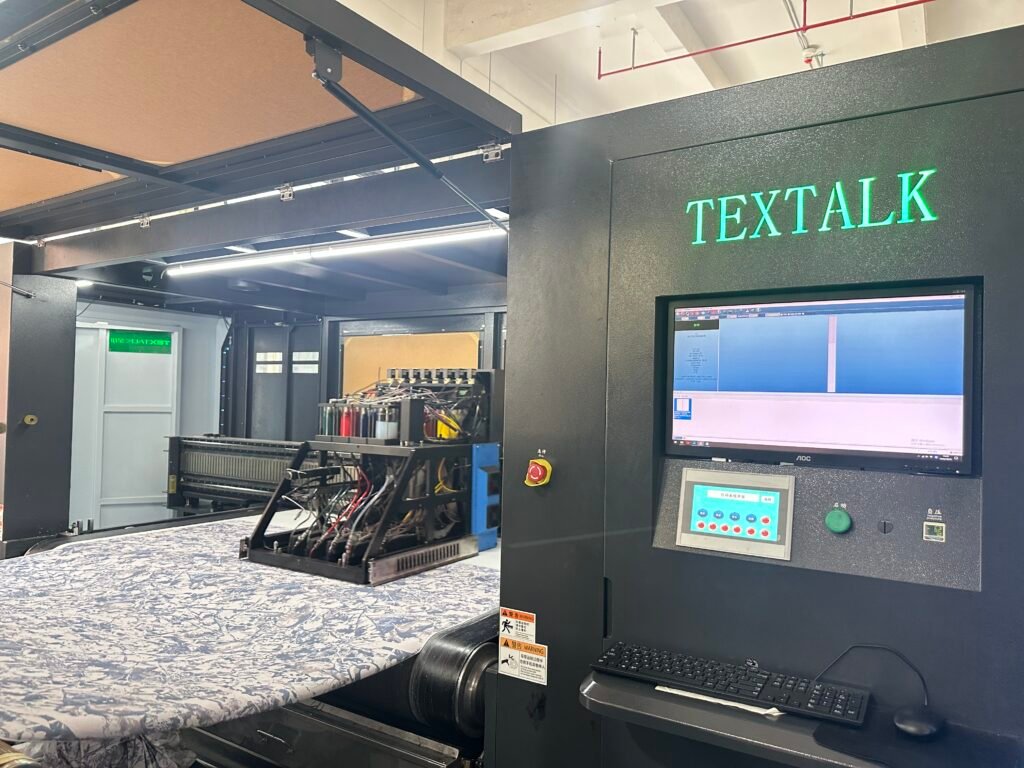
A digital direct to fabric printer for applies ink directly to fabric – typically on a continuous roll – using an inkjet system. In industry language, direct to fabric is often described as roll-to-roll textile printing.
It’s worth clearing up a common confusion early: many people say “DTF”, but direct-to-fabric and direct-to-film are different categories. In this article, “direct-to-fabric” means printing onto fabric (usually roll-fed), not printing a transfer film for later application.
How it works at a high level
Direct-to-fabric is usually a chain of: feed fabric consistently → jet ink accurately → fix the print so it’s durable. Some sources describe a “fixing” stage using steam, heat, or pressure to make the design permanent.
Why buyers like it
Direct to fabric printer is chosen when you need digital flexibility – fast changeovers, complex patterns, and on-demand production – without the setup overhead of traditional screen workflows.
If your evaluation is moving toward “what models exist and what formats are available”, Fluxmall groups roll-to-roll fabric solutions in its Digital Direct to Fabric Printers catalog.
Textile printing machine: Typical applications and what you can produce
A production textile printing machine is usually justified by the products it unlocks and the operational leverage it creates (shorter lead times, smaller MOQs, faster sampling-to-bulk).
The applications that show up consistently across leading manufacturer pages and explainers include:
- Fashion and apparel fabrics: all-over prints, pattern runs, capsule collections, rapid sampling.
- Home textiles: upholstery, curtains, bedding, décor fabrics, custom patterns.
- Soft signage and banners: roll-to-roll production where width and consistency matter.
The practical buyer takeaway: “applications” aren’t just marketing categories. Each one implies different requirements for hand feel, wash fastness, stretch behavior, and finishing steps – and those requirements should drive your ink/chemistry direction (not the other way around).
For a concrete example of how vendors position roll-to-roll systems for “proofing + on-demand + mass production”, Fluxmall’s Textalk TK18 Direct to Fabric Series product page highlights multi-level production intent and output positioning.
Roll-to-roll textile printer: Production workflow and benefits in real operations
A roll-to-roll textile printer earns its place when you treat it like part of a line, not a standalone device. In practice, the production workflow typically includes:
- Fabric prep & feeding control: tension, alignment, stability
- Printing: ink laydown, color control, head health
- Fixation / curing: method depends on ink and fabric
- Post-treatment / finishing: often washing + drying for some chemistries
- QC & winding: repeatability across long runs
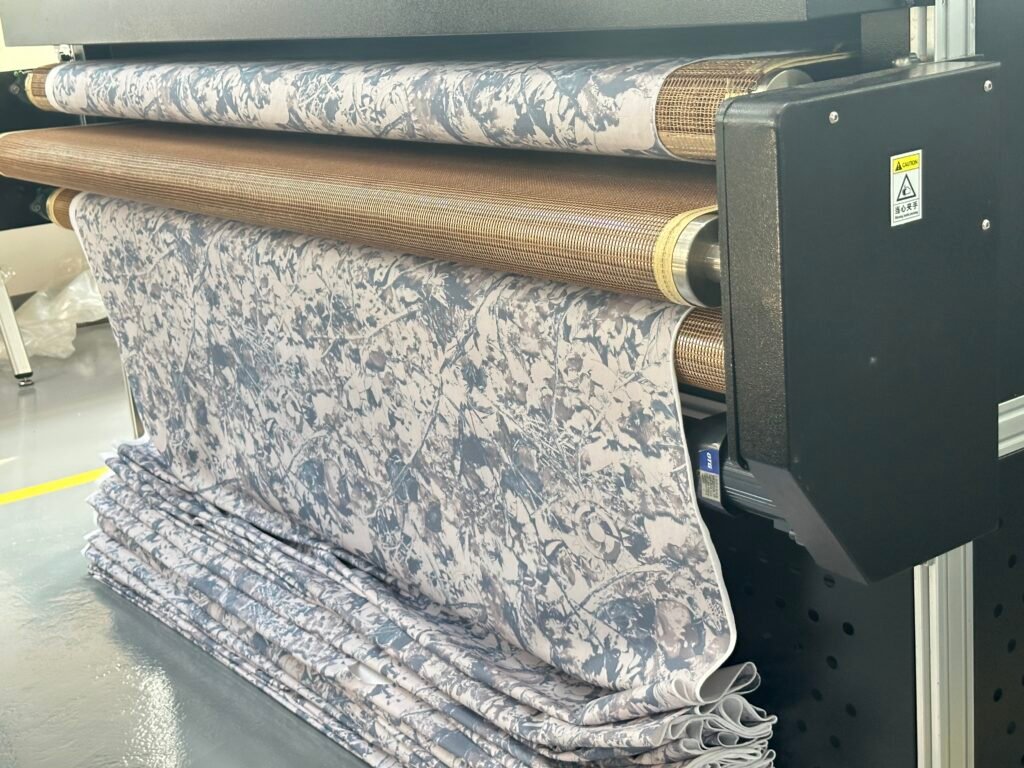
Manufacturers commonly describe a “fixing” step after printing (e.g., steam, dry heat, or pressure) to ensure durability.
And buyer guides emphasize that “direct-to-fabric printer” is a key technology choice inside roll-to-roll printing decisions (especially vs transfer-based approaches for polyester).
Production benefits that matter to manufacturers and PSPs
Faster changeovers, less setup friction
Digital excels when artwork changes frequently (seasonal patterns, fast sampling, SKU variety). That’s why direct to fabric printer is often positioned as an agility driver.
More predictable lead time
When sampling and short runs happen on the same platform, you reduce the “handoff” delay between design, sampling, and production decisions.
Scalability depends on the finishing line
This is where many buyers underestimate complexity: the printer’s rated speed matters, but fixation and finishing capacity determine whether you can actually run continuous production without accumulating WIP.
If your priority is scaling output (not just sampling), look at systems that are positioned for high-volume operations. For example, Fluxmall’s Textalk TKD20 Series page frames an “industry-level” fabric platform around high-volume production capacity.
Industrial fabric printing: How to choose the right system direction (without guessing)
“Industrial fabric printing” selection is easiest when you decide in this order:
1) Start with your dominant fabric and end-use
Ask: what are you printing most of the time?
- Cotton/linen/viscose for apparel or home textiles
- Polyester for sportswear or signage
- Nylon/silk blends for niche product lines
This single decision heavily influences chemistry and finishing.
2) Choose ink/chemistry based on durability and finishing reality
You’ll see leading platforms emphasize ink flexibility (e.g., pigment/reactive/acid/disperse) because different fabrics and end-uses demand different approaches. Epson’s direct to fabric printer positioning highlights multiple ink types and production-oriented features.
Other industrial pages also highlight multi-ink compatibility (pigment + reactive, etc.) as a selection factor. RDX Digital Technologies
What matters here isn’t the ink list – it’s what your factory can support reliably:
- Do you have (or want) steam fixation capability?
- Is washing/effluent handling part of your planned line?
- Is “soft hand feel” a must, or is signage-style durability the priority?
3) Decide the architecture: scanning vs single-pass (and why it matters)
Many vendors separate textile platforms into direct to fabric scanning systems and single-pass industrial systems. HPRT’s product taxonomy is a good example of how the market frames that difference.
- Scanning/multi-pass is often chosen when flexibility and quality tuning matter.
- Single-pass is typically evaluated when maximum throughput is the core KPI.
4) Plan your production workflow around the constraint
Don’t design the line around “printer speed.” Design it around the slowest, most failure-prone step:
- fixation capacity
- drying capacity
- wash/finishing throughput
- color management/QC cycle
5) Compare total cost of ownership using the “line view”
A practical TCO comparison includes:
- Ink + pre/post chemistry
- Energy for fixation/drying
- Water/washing (where applicable)
- Labor per meter (including rewinds and QC)
- Uptime/service model (your “lost meters” cost)
If you want a simple way to map “printing method vs factory goals” before diving into specifications, Fluxmall’s factory-focused printing-method overview is a useful starting point for aligning technology with business constraints.
Direct to fabric printer FAQ
Is direct-to-fabric the same as roll-to-roll?
In most industry usage, yes. Direct-to-fabric is commonly described as printing directly onto fabric on a roll (roll-to-roll).
What post-processing do I need?
Most production descriptions include a fixation step (steam, heat, or pressure) to make prints durable, and some chemistries may require additional finishing steps.
How do I choose between sampling and production-focused systems?
Start by defining whether your main KPI is design agility (many SKUs, frequent changes) or maximum meters per day. Then align chemistry + finishing capacity before selecting the printer platform class.
What should I ask vendors in a demo?
Ask for proof on your real fabric and workflow:
- Your fabric roll, your target fastness/hand feel
- The complete fixation/finishing recommendation
- Uptime/maintenance expectations and what stops production first
- How color is kept consistent over long runs